MERGE 2
Unity · C# · Shader · UI Animation · 2024
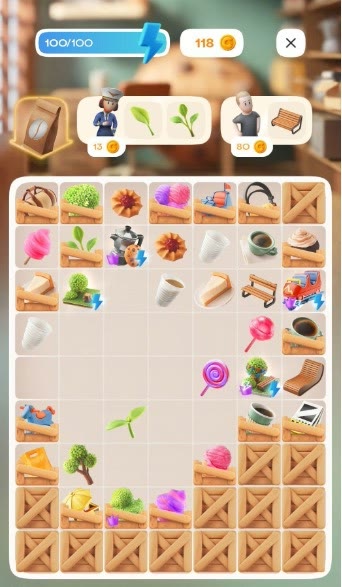
01 — TUTORIAL
Creating a tutorial is always tricky. It has to read as a tutorial, and the drag-and-drop action has to read as drag-and-drop.
I wrote a custom shader to show the finger press and paired it with the right hand animation. Together, they made the gesture clear instead of turning it into a mysterious floating hand.
02 — ENERGY BOOSTERS
These boosters give the player energy and reset the timer. Because they affect the flow of the level, the player needs to notice them quickly.
I worked on the animation and glow so the objects felt important without shouting over the rest of the board.
03 — ENERGY
The player gets energy by activating a booster. I wanted the energy object to feel alive, so I tested a version with a liquid filling inside.
I liked the result, but it felt more suitable for a shooter than for this game.
After that, I chose a more restrained version. I like how the energy icon lights up when the player gets a bit of energy: the feedback is clear, but it stays gentle.
04 — COMPLETED TASK
Like any Merge 2 game, this project has tasks for the player to complete. When a task is done, a check mark appears next to it.
It is a small detail, but I still wanted it to feel finished: the check mark does not just pop in, it appears with a short animation.
05 — SPLIT & DUPLICATE MECHANICS
I also worked on mechanics that duplicate objects or split one object into two. These objects had to feel alive, not like static buttons waiting for the player to tap them.
The visual had to explain the mechanic before the player even used it: one object suggests multiplication, the other suggests separation. Small animation choices do a lot of work here.
06 — TIME BOOSTER ATTRACTION
The time booster has to be applied to an object, so the task was to show attraction between the booster and its target.
I used Unity's Line Renderer and wrote a custom shader for it. Together, they make the connection feel like one object is pulling toward another, not just drawing a decorative line on top.